What the customer sees, hears, or experiences is the starting evidence.
FIND THE LIKELY CAUSE BEFORE THE NEXT STEP
Computer Diagnostic Services
Profix Squad provides professional computer diagnostic services for hardware, software, startup, performance, network, and suspected malware problems. Diagnostic assistance may be available remotely, through an on-site technician visit, or at a service location, depending on the issue and local availability. The assessment investigates reported symptoms, considers likely causes, and helps determine suitable next steps. Use the repair request or enquiry form to describe the computer, what is happening, and any recent changes.
- Hardware and software assessment
- Three diagnostic service methods
- Findings guide the next step
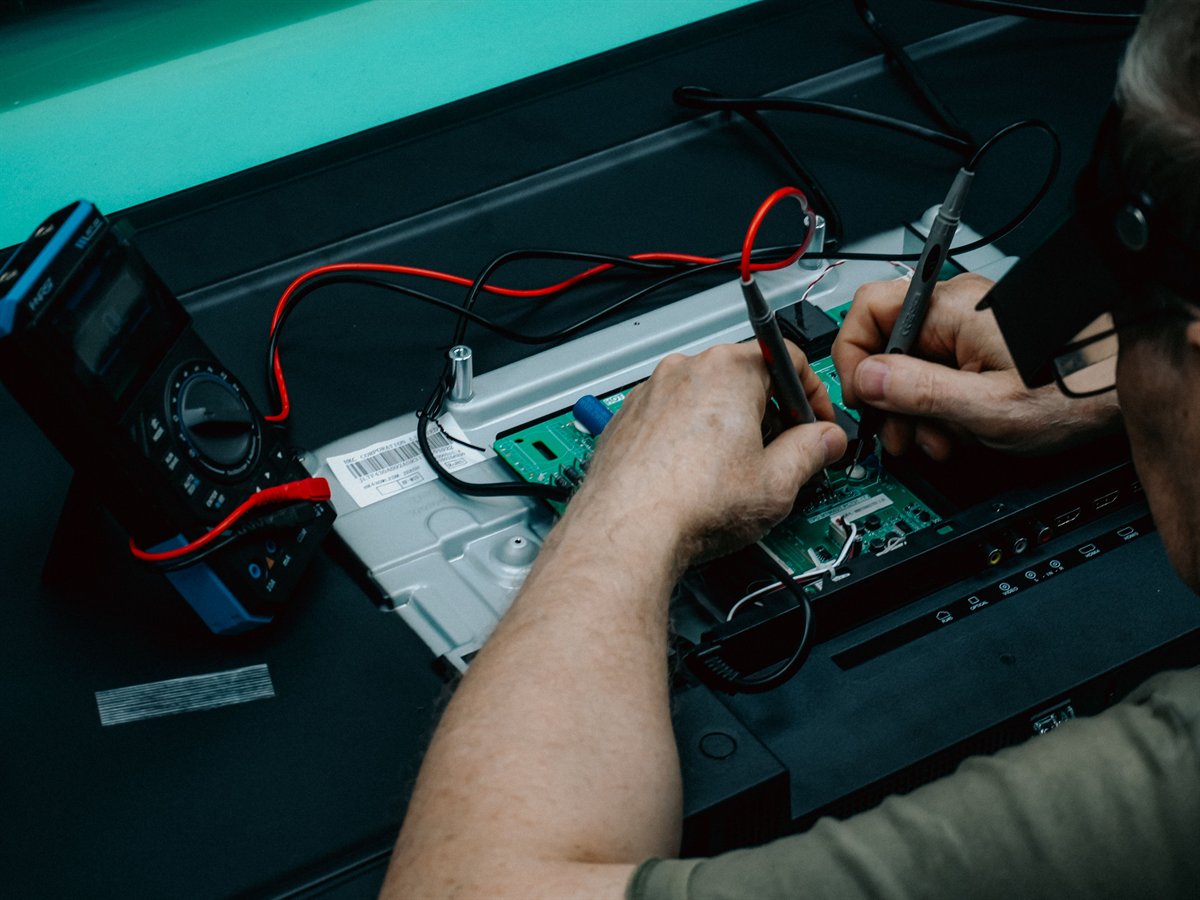
ASSESS THE EVIDENCE BEFORE CHOOSING A FIX
What Is a Computer Diagnostic Service?
A professional computer diagnostic service investigates reported behavior and evaluates possible hardware, software, configuration, performance, security, or connectivity causes. It provides a more informed basis for deciding whether further testing, troubleshooting, repair, or another service is appropriate. In practical terms, diagnosis separates four parts of the decision.
Several hardware or software conditions may produce similar symptoms.
The assessment narrows likely causes and identifies where more testing may help.
The findings help show which service or further investigation may be appropriate.
WHEN THE CAUSE IS NOT YET CLEAR
Signs Your Computer May Need Diagnostic Testing
Persistent, repeated, or unexplained problems can justify professional assessment. Similar symptoms can come from different causes, so diagnostic testing begins with the behavior rather than assuming a particular component or program is responsible.
Freezing, crashes, and unexpected restarts
Repeated freezing, application crashes, shutdowns, or restarts can justify an assessment, especially when the pattern becomes more frequent or interrupts normal computer use.
Startup and boot difficulties
A computer that starts slowly, stops during boot, displays repeated startup errors, or cannot reach Windows may need diagnostic testing before a suitable next step is clear.
Slow or unreliable performance
Long delays, reduced responsiveness, or performance that changes without an obvious reason can be assessed before deciding whether troubleshooting, repair, or optimization is appropriate.
Windows and application errors
Repeated Windows messages, driver trouble, failed updates, software conflicts, and applications that close unexpectedly can justify a closer assessment of the operating system and installed software.
Wi-Fi and internet connection failures
Intermittent access, repeated disconnections, or a computer that cannot connect while other devices can may justify connectivity diagnostics.
Suspicious activity or unwanted programs
Pop-ups, unfamiliar applications, changed settings, or security warnings are reasons to investigate. Those symptoms alone do not confirm a virus or malware infection.
FIVE AREAS OF DIAGNOSTIC ASSESSMENT
What Our Computer Diagnostics Can Investigate
Profix Squad assesses five related areas, choosing the scope according to the reported symptoms and the computer's condition. An issue may cross more than one category, especially when hardware and software produce similar behavior.
Hardware Diagnostics
Hardware assessment can investigate RAM and memory-related problems, HDD and SSD concerns, motherboard-related faults, power problems, and overheating or cooling-related symptoms. Because freezing or failed startup can have several possible causes, the assessment compares the available evidence before attributing the problem to one component.
Windows and Software Diagnostics
Software diagnostics examine Windows operating system problems, device-driver issues, application crashes, repeated errors, software conflicts, and general instability. The objective is to determine whether the reported behavior is more consistent with software, configuration, hardware, or an overlapping cause.
Startup and Performance Diagnostics
Slow startup, reduced responsiveness, freezing, unexpected restarts, and boot failures can be investigated without assuming they all need the same fix. Findings may point toward further troubleshooting, repair, or separate performance optimization work.
Network and Connectivity Diagnostics
Connectivity assessment can consider Wi-Fi behavior, internet access, computer network settings, the router, and communication with relevant connected devices. Symptoms may arise from the computer, networking equipment, service conditions, or more than one factor.
Virus and Malware-Related Diagnostics
An assessment can investigate suspected malware activity, unwanted programs, suspicious behavior, and security-related software problems. It helps distinguish possible infection behavior from Windows, browser, performance, and other software problems; some cases may require further investigation.
Explore virus removal serviceMATCH THE ASSESSMENT TO THE PROBLEM
Remote, On-Site, and Service-Location Diagnostics
The appropriate delivery method depends on what the computer can do, whether physical access is required, local availability, and the technical needs of the assessment. Not every method is available or suitable for every request.
Remote Computer Diagnostics
Remote assistance may suit software, settings, driver, Windows, performance, or security-related problems when the computer starts and can establish the necessary connection. A no-power condition, inaccessible component, or fault that requires physical access may need an in-person assessment.
On-Site Computer Diagnostics
An on-site technician may assess suitable problems at a home or workplace when local availability and the technical requirements allow. This can be useful when connected equipment or conditions at the location are part of the issue.
Learn about on-site computer supportService-Location Diagnostics
Eligible computers may be assessed at a service location when physical inspection or additional hardware testing is appropriate. Availability and any requirements must be confirmed for the specific request before proceeding.
FROM REPORTED BEHAVIOR TO AN INFORMED NEXT STEP
How the Computer Diagnostic Process Works
Each case begins with the symptoms and available information. This process explains how a diagnostic request normally moves forward.
- 01
Describe the problem
Share the computer type, symptoms, error messages, when the behavior started, and any recent software, hardware, or setup changes.
- 02
Determine a suitable diagnostic method
The reported problem and service availability help determine whether remote, on-site, or service-location diagnostics are appropriate.
- 03
Investigate the symptoms
The assessment follows the evidence most relevant to the reported hardware, software, system behavior, or connectivity issue.
- 04
Assess the findings
Findings can narrow the likely causes and show whether further inspection or testing would be useful.
- 05
Discuss the next step
The findings and any remaining uncertainties are explained, along with the service options that may be relevant.
FROM FINDINGS TO A PRACTICAL NEXT STEP
What Happens After the Diagnostic Assessment?
After diagnosis, you receive a verbal explanation of the findings and a written diagnostic report documenting them. The findings can narrow the likely causes and help determine an appropriate next step, but some intermittent or complex problems may remain inconclusive and require further inspection or testing.
Depending on the findings, the next step may involve computer repair, performance optimization, virus or malware removal, or data recovery assessment. A repair or related service may follow when appropriate.
When the assessment identifies a physical component problem, computer hardware repair may be a potential next step.
CONFIRM THE DETAILS FOR YOUR REQUEST
Computer Diagnostic Pricing and Service Availability
When diagnostics are associated with a repair, the diagnostic work is included in the repair service price and no separate diagnostic fee is charged. If you decline the recommended repair after diagnosis, no diagnostic charge applies.
If you request diagnostics without initially requesting a repair, charges may apply. Pricing depends on the problem and service method, and the estimate and customer-approval process can vary with the issue and service method. For diagnostic-only requests, ask us which charges apply to your specific problem and service method.
Remote, on-site, and service-location availability varies with the computer problem, technical requirements, customer location, and local service coverage. An on-site visit is subject to technician availability and technical suitability.
Ask About Diagnostic PricingDIRECT ANSWERS BEFORE YOU REQUEST AN ASSESSMENT
Frequently Asked Questions
These answers explain diagnostic scope, remote limitations, hardware and Windows assessment, suspected malware, and how to request help.
Yes. Diagnostics can investigate software, memory, storage, temperature, power, and other factors that may contribute to freezing. The symptom can narrow the assessment, but it does not establish one cause before the computer is evaluated.
Some can. Remote diagnostics may be suitable for accessible Windows, software, driver, setting, performance, and security-related issues. A computer that cannot start or connect, or a problem requiring physical component access, may need an on-site or service-location assessment.
Hardware diagnostics can investigate symptoms related to RAM and memory, HDD and SSD storage, power, overheating and cooling, and motherboard-related problems. Further physical inspection or testing may be needed depending on the fault.
Yes. Startup diagnostics can assess boot symptoms alongside Windows, driver, storage, power, and other hardware-related possibilities. The appropriate service method depends on whether the computer can start and provide access to useful system information.
It can investigate suspicious programs, security warnings, changed behavior, and other possible malware-related symptoms. Those signs do not confirm an infection, and further investigation may be needed when the cause remains uncertain.
Use the repair request or enquiry form and describe the computer, symptoms, error messages, recent changes, preferred service method if known, and general location for an in-person request.
SHARE THE SYMPTOMS, NOT SENSITIVE INFORMATION
Request Computer Diagnostic Assistance
Describe the computer, symptoms, error messages, recent changes, and preferred service method if known. Include your general location when requesting in-person service. Do not send passwords, recovery keys, verification codes, private files, or sensitive account information through a public form.