Computer won't turn on
No power can point to an outlet or adapter, power supply, charging circuit, motherboard, battery, or another component. A technician checks the power path and isolates the fault before recommending parts.
Expert computer repair, from initial diagnosis through the recommended fix, is available from Profix Squad for hardware and software problems, including no-power, startup, overheating, storage, screen, charging, Windows, and malware issues. Service is available through online help, at-home visits, or service-center work, depending on the problem and availability. Every Profix Squad technician has at least 8 years of relevant professional experience in computer repair and troubleshooting. We explain the fault and practical next step. Start a repair request today.
One symptom can have several causes. These examples show what a technician may investigate; they are not a diagnosis of your computer.
No power can point to an outlet or adapter, power supply, charging circuit, motherboard, battery, or another component. A technician checks the power path and isolates the fault before recommending parts.
Repeated restarts may follow overheating, unstable power, failing memory, driver errors, or operating system damage. Diagnosis looks for the pattern and tests likely hardware and software causes.
Limited memory, an aging hard drive, low storage, heavy startup software, malware, or thermal throttling can all feel like the same slowdown. Checks separate a tune-up need from a component problem.
A blue screen records clues, but it does not prove one cause. Error details, recent changes, drivers, memory, storage, and system files are reviewed together.
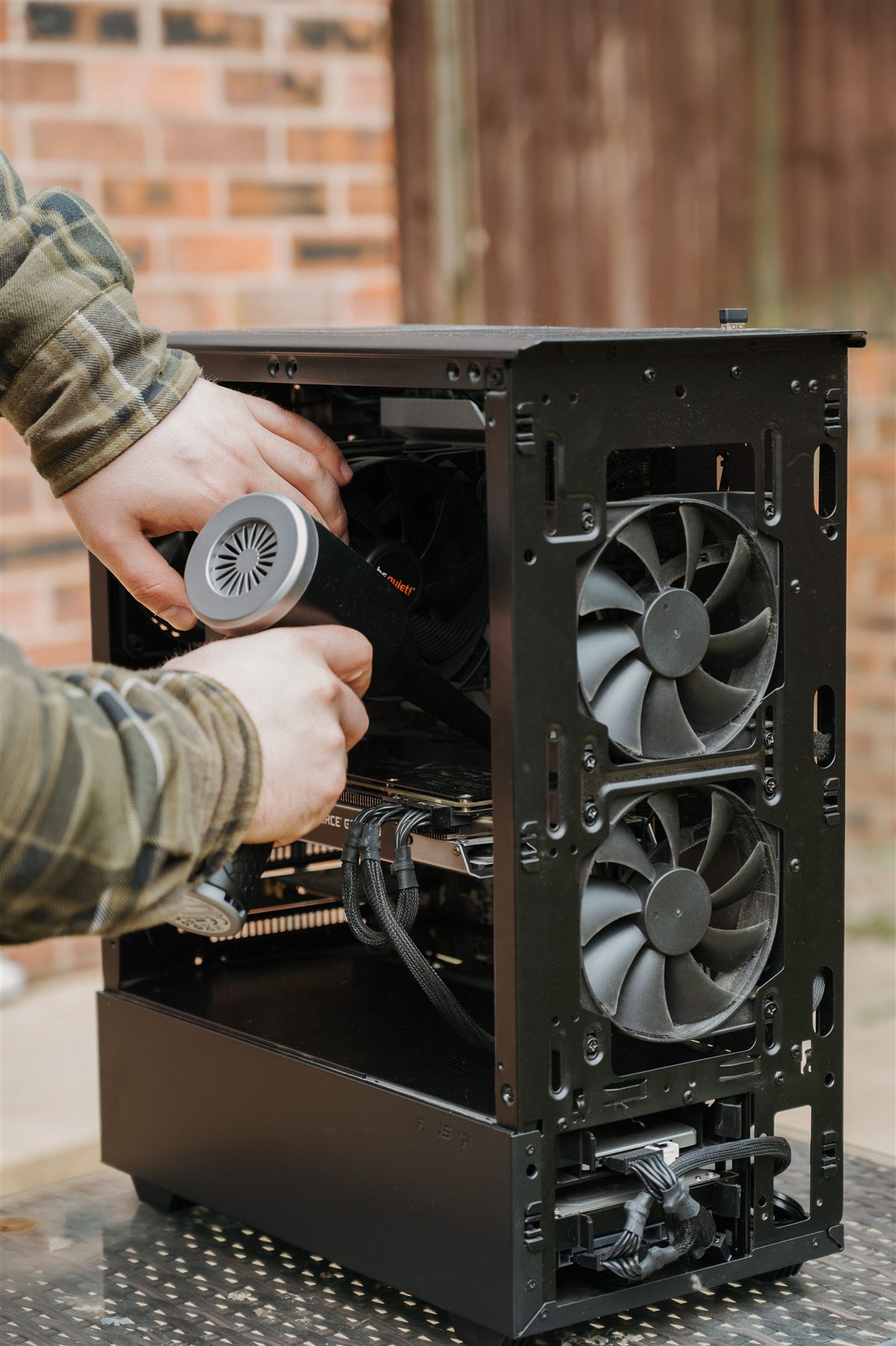
Blocked airflow, dust, a worn fan, poor heatsink contact, or a demanding process may raise temperatures. The cooling system and system load should be checked before parts are replaced.
Cracks, lines, flickering, dim output, or no image can involve the panel, display cable, hinges, graphics hardware, or power. External-display and physical checks help narrow the repair.
Short runtime or failure to charge can come from the battery, adapter, charging port, cable, or board-level power circuitry. Testing helps avoid replacing the wrong part.
A loose or damaged port may prevent stable charging and can require physical inspection. The connector, adapter, battery, and surrounding circuitry are considered before a repair is proposed.
Bad or poorly seated RAM can cause crashes, startup beeps, freezes, or missing memory. Compatible modules and slots can be tested to distinguish memory faults from motherboard problems.
An HDD may slow down, make unusual noises, or develop unreadable areas; an SSD may become read-only, disappear, or fail with little warning. Boot errors and missing files can also come from file-system or connection problems, so data risk is assessed before repair attempts.
Desktop shutdowns, no power, or instability under load can involve the power supply, but other components can create similar symptoms. Voltage, connections, and the wider system are assessed.
Board faults can affect power, charging, ports, startup, or connected components. Because those symptoms overlap with replaceable parts, technicians diagnose the system before considering board work.
Corrupted system files, failed updates, driver conflicts, storage errors, or unwanted software may prevent normal startup. Recovery choices depend on the cause and the condition of stored data.
Pop-ups, redirects, unknown programs, account warnings, and sudden slowdowns can warrant a security review. The process identifies suspicious software, removes it where possible, and checks for related damage.
We diagnose and repair hardware faults, Windows problems, malware infections, and other issues affecting your computer. The diagnosis determines which service is appropriate.
We repair desktop computers with power-supply faults, failed RAM, storage problems, overheating, and startup failures. The case, cabling, temperatures, and connected parts are checked together before we recommend a compatible replacement or upgrade.
Explore hardware repair and upgradesLaptop work may involve a damaged display, battery, keyboard, charging port, storage device, cooling system, or motherboard-related fault. Model construction and parts availability affect what can be repaired and where the work is completed.
Explore laptop repairDiagnostics starts with the symptoms, error history, recent changes, and basic power or connection checks. Technicians then test likely hardware and software causes so the estimate is tied to evidence instead of guesswork.
Learn about computer diagnosticsWindows repair can address startup loops, corrupted system files, failed updates, driver trouble, software conflicts, and available recovery paths. Storage health is considered because physical drive failure can resemble an operating system problem.
Explore Windows repairA security assessment looks for malicious or unwanted programs, browser changes, unsafe startup items, and signs of related system damage. Removal is followed by practical next-step guidance; compromised accounts may also require action outside the computer.
Explore malware removalSupported work includes assessment of RAM, SSDs, hard drives, power supplies, fans, heatsinks, and other compatible components. Replacement is recommended only after the part, connections, compatibility, and wider cause of failure are considered.
See component repair optionsRequest your preferred option. The final recommendation depends on the fault, your location, technician availability, parts, and the equipment needed to complete the work safely.
Remote help can suit software troubleshooting, some Windows errors, application conflicts, settings, and guided diagnostics when the computer can connect reliably. A technician may provide a connection link or session code, or ask you to download remote-support software and enter a technician-provided code. The method depends on the repair, and access begins only after you explicitly approve the connection. Some hardware failures, non-starting devices, and physical damage require hands-on assessment or repair.
Best for: software and connected-system issuesWhere technician coverage and the problem allow, a home visit can help with diagnosis, setup, software work, connections, and some replaceable components. Repairs that need specialist tools, uncommon parts, or extended testing may need to continue at a service center.
Availability: depends on location and technician coverageSome computer problems need more than remote or at-home work. If a device requires extensive hardware repair, specialized tools, component testing, or additional diagnostic time, Profix Squad can arrange service-center repair where available. We explain the recommended repair path and next steps before work proceeds.
Best for: physical damage and complex hardware workNot sure which method fits? Describe the symptoms and let the assessment guide it.
Describe your computer problemTell us what the computer does, when the issue began, and any recent hardware, software, or damage history.
The team reviews the symptoms, your location, and technician availability to identify whether online, at-home, or service-center help fits.
A technician investigates the likely causes and explains the proposed work, labor, and any expected replacement parts before repair arrangements are confirmed.
Work proceeds after the necessary arrangements and your approval. If diagnosis changes the scope, we explain the updated option and obtain your approval before additional work.
The repaired functions are checked, and you receive practical guidance about collection, return, follow-up, or anything that still needs attention.
The exact workflow and timing can change with the device, diagnosis, parts, technician availability, and the service method selected.
Computer repair pricing depends on the nature of the problem, the diagnostic work, labor, device type, repair complexity, replacement parts, and whether service is online, at home, or at a service center. A software correction and a board-level power fault do not involve the same work.
Profix Squad offers competitive pricing and repair estimates without claiming that every job has a fixed cost. Send the computer type, symptoms, damage history, and any error messages. After assessment, review the proposed scope and estimate before approving repair arrangements.
Request an estimateFor an urgent or emergency computer repair request, explain the symptom, the device, and why timing matters. Same-day repair may be available for eligible problems, but completion depends on diagnosis, technician capacity, compatible parts, required testing, and repair complexity.
A quick computer repair is more realistic when the cause is straightforward and the needed resources are available. No-power faults, intermittent failures, damaged storage, and complex motherboard work may require more time. Profix Squad does not promise same-day completion for every device.
Request urgent repair helpTrust starts with accurate expectations—not a promise that every fault is simple or every repair can be completed the same day.
You can rely on experienced technicians, each bringing at least 8 years of professional computer repair experience.
We check both hardware and software so you do not replace a component when the real problem is Windows, an application, or another part of the system.
Online, at-home, and service-center options let the repair method follow the problem and available coverage.
Overlapping symptoms are investigated before a part replacement or software repair is recommended.
Cost reflects the diagnosis, labor, parts, complexity, device, and delivery method—not an unsupported lowest-price claim.
Customers receive a practical explanation of the likely fault, proposed work, limits, and next step.
The repair conversation covers backup status, important files, required access, and storage risk when they are relevant to the work.
Profix Squad takes customer data privacy seriously and follows established data-handling and backup procedures during repairs. Technicians treat personal files and information with care, and repair work is focused on diagnosing, testing, and resolving the computer problem you reported.
Before starting work that could reset Windows, replace or reformat storage, or otherwise affect your files, we explain the potential risks and discuss available backup options so you can make an informed decision. Where appropriate and technically possible, a backup may be recommended or arranged. We also explain any credentials or access needed for diagnosis and testing so you can decide what to provide. Hardware damage and failing HDDs or SSDs can still cause data loss, and severely damaged drives may not be recoverable. No backup, repair, or recovery result can be guaranteed, and you can ask questions about data protection before authorizing the repair.
Do not erase, initialize, or repeatedly test a drive containing irreplaceable files unless the recovery risk has been considered.
These answers explain the service model without promising a diagnosis, price, or completion time before the computer is assessed.
Cost depends on the fault, diagnostic work, labor, device construction, service method, and any replacement parts. Describe the symptoms and device in the repair request so Profix Squad can assess the job and provide an estimate before approved work begins.
Possibly. Home visits may suit diagnosis, setup, software problems, connections, and some component work where coverage is available. Complex disassembly, board faults, specialist testing, or parts-dependent repairs may require a service center.
Profix Squad can assess no-power problems. Possible causes include the outlet or adapter, battery, charging port, desktop power supply, motherboard, or another component, so physical diagnosis is usually needed before repairability and cost are known.
Same-day service may be available for eligible repairs. Completion depends on diagnosis, repair complexity, technician capacity, and whether compatible parts are available; it is not guaranteed for every device or problem.
Not usually. Remote troubleshooting may help identify symptoms or rule out software causes, but damaged screens, ports, batteries, power supplies, storage devices, and internal components normally require physical access.
Timing varies with the diagnosis, repair method, device design, parts, testing, and current technician availability. You can ask for an expected timeframe after the issue has been assessed; complex or intermittent faults may take longer to confirm.
Every repair involving storage has some risk, especially when a drive is already failing. Back up important files when possible, explain which data matters, and confirm the access, backup, and data-handling plan for your repair before approving work.
It depends on the estimate, the computer's condition and performance, available parts, data needs, and the cost of a suitable replacement. A diagnosis can help you compare a targeted repair or upgrade with replacement before deciding.
Depending on the remote-support software and type of repair, you may be able to observe the technician's actions, but live visibility is not available in every session. You can disconnect or revoke remote access at any time. When credentials are needed, you may enter passwords yourself, or temporary credentials may be used when appropriate and removed after the repair. Technician remote-access permissions are removed or disabled after the session.
Describe the computer, the symptoms, when the problem started, and your preferred service option. Profix Squad will use those details to help identify the most suitable online, at-home, or service-center path, subject to diagnosis and availability.