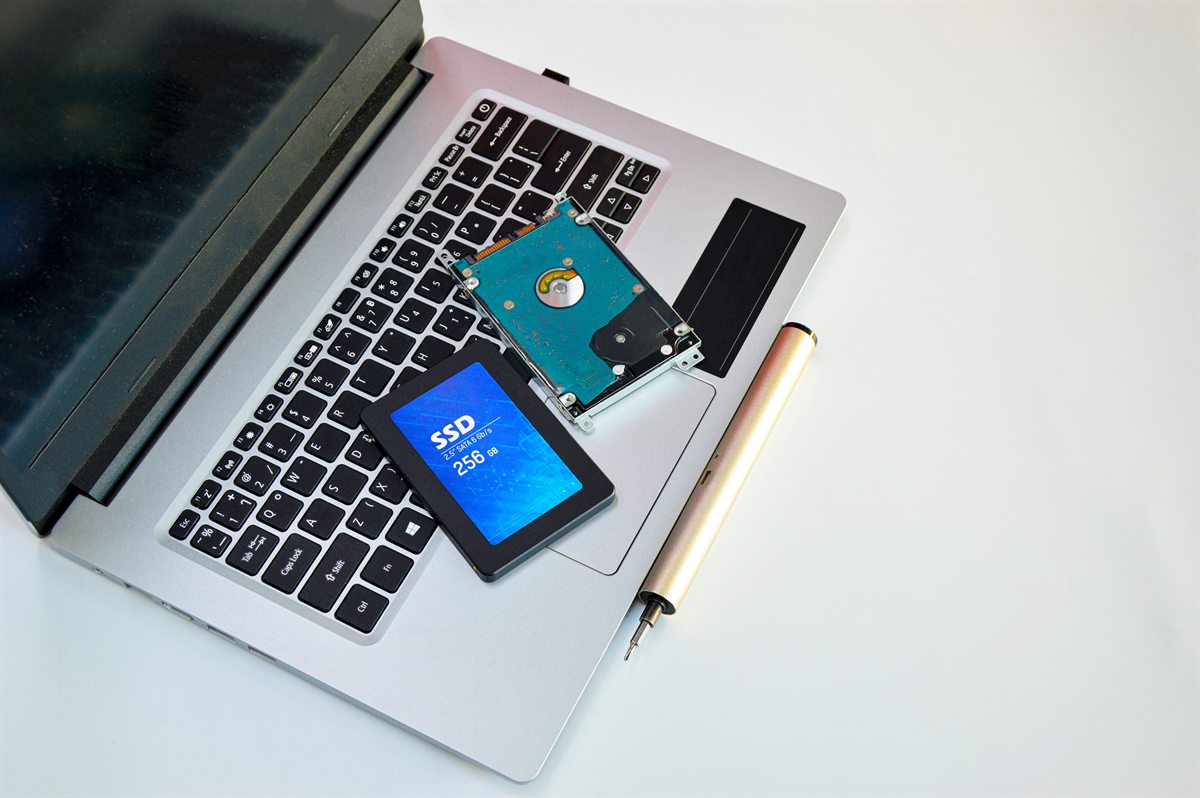
Computer Data Recovery Service for Lost & Inaccessible Files
Computer data recovery service from Profix Squad helps assess lost, deleted, damaged, or inaccessible files on computers, hard disk drives, and solid-state drives. Our own technical team provides software-based recovery and physical HDD and SSD recovery, with the appropriate approach depending on what happened and whether the storage device still functions. Recovery cannot be promised before the condition of the device and remaining data are assessed. Tell us what is missing, whether the drive is detected, and what happened before the problem began to request data recovery help and discuss an available service method.
What to Do Immediately After Losing Important Files
Calm, limited action is often safer than trying several recovery programs or repair commands. These precautions can reduce the chance of overwriting data or worsening an unstable storage device.
01
Stop using the affected storage device
Continued use can write new information over deleted or otherwise recoverable data. On an SSD, further activity can also change recovery possibilities through TRIM and other storage-management behavior. Stop saving files, installing software, and browsing on the affected device when it is practical to do so.
02
Avoid reinstalling, formatting, or writing new data
Do not reinstall Windows, initialize or format the drive, create new partitions, or save recovered files back to the affected storage. These actions can overwrite file data or the information needed to locate it.
03
Take physical failure symptoms seriously
If a hard drive clicks, grinds, repeatedly disconnects, or shows other signs of mechanical failure, avoid repeated power cycles and recovery scans. Power down the device where it is safe to do so and request professional assistance.
04
Avoid risky do-it-yourself repairs
Do not open the sealed casing of a hard disk drive, attempt internal component repairs, or repeatedly run disk-repair utilities on unstable storage. A repair utility writes changes in some situations and may make a later recovery attempt more difficult.
Not sure whether continued use is safe? Describe the symptoms before trying another scan or repair.
These situations can be assessed for a suitable recovery path. They do not mean that every file, formatted drive, failed HDD, or failed SSD is recoverable.
Accidentally deleted files
Files removed unintentionally may be assessed if usable data remains and has not been overwritten.
Missing documents or folders
Files that disappear after a system, account, or storage problem may require file-system and device assessment.
Formatted storage
Some formatting situations leave recoverable information, while others overwrite or discard data needed for recovery.
Inaccessible files
Folders or files that no longer open may involve permissions, corruption, encryption, or a failing device.
File-system errors or corruption
Damaged file-system information can prevent a computer from locating data that may still exist on the storage medium.
HDD failure
A hard disk drive can develop logical, electronic, or mechanical problems that require different recovery approaches.
SSD failure
A solid-state drive can become inaccessible because of logical damage, electronics, controller behavior, encryption, or flash-storage problems.
A computer that will not start
Files may still be assessed even when Windows does not boot, depending on the computer and storage condition.
Storage that is no longer recognized
A drive that disappears from Windows or is detected inconsistently may have a connection, electronics, logical, or physical fault.
Logical or physical data loss
The first task is distinguishing damaged file information from a problem with the storage hardware itself.
MATCH THE METHOD TO THE FAILURE
Software-Based vs. Physical Data Recovery
Computer repair and data recovery may involve different steps depending on whether the problem is with Windows, the storage device, or the files themselves. The first distinction is whether the hardware is sufficiently functional for software-based work or whether the storage has a physical fault.
Software-Based Recovery
Software-based data recovery applies when storage hardware is sufficiently functional but deleted files, a lost partition, file-system corruption, formatting, or another logical problem prevents normal access. Recovery depends on whether usable file data remains, whether it has been overwritten, and how the device has handled deleted information.
Appropriate for eligible logical data-loss cases after assessment
Physical Data Recovery
Physical data recovery addresses storage hardware or electronics failures, including certain HDD mechanical problems and SSD controller or electronics problems. Profix Squad's own technical team handles its physical HDD and SSD recovery work. The exact approach and chance of recovery depend on the device and damage; no specific internal technique is promised before assessment.
Technician pickup may be requested, subject to local and case availability
DIFFERENT STORAGE, DIFFERENT LIMITS
Hard Drive and SSD Data Recovery
Hard disk drives and solid-state drives store data differently. That difference changes their failure symptoms, the risks of continued use, and the information an assessment must consider.
Hard Drive (HDD) Recovery
An HDD contains moving mechanical components as well as electronics and magnetic storage. Data loss can result from deleted or damaged file information, unreadable areas, electronics trouble, or mechanical failure. Clicking, grinding, repeated disconnections, and failure to detect can indicate a physical problem. Continued operation or repeated diagnostics may worsen some failures, so stop powering a drive that shows clear mechanical symptoms.
Logical and physical HDD cases require different handling
Solid-State Drive (SSD) Recovery
An SSD uses flash storage and has no mechanical read heads, but it can still fail through logical damage, electronics, controller or firmware behavior, flash degradation, or other faults. Encryption and available recovery credentials may affect access. TRIM can tell an SSD that deleted blocks are no longer in use, after which the controller may erase or reuse them. This can reduce recovery possibilities, but the timing and outcome vary with the device, configuration, and later activity.
An SSD result depends on the device and what happened to the data
A CONDITION-DEPENDENT RECOVERY PATH
How Our Data Recovery Process Works
A recovery case may follow these stages, but the exact order and work depend on the symptoms, storage condition, type of failure, available access, and service arrangements.
1
Describe the data loss
Tell us the computer or drive type, which files are missing, whether the storage is recognized, whether it makes unusual noises, whether the computer starts, and what deletion, formatting, scanning, or repair attempts have already occurred.
2
Assess the device and prepare the written report
Software-based and physical failures require different assessment paths. Profix Squad assesses the device and provides a written recovery report before recovery work is approved. The report includes a list or preview of potentially recoverable files and a cost estimate. It describes recovery potential rather than guaranteeing that every listed file will be recovered successfully.
3
Confirm how to submit the device
The appropriate submission method depends on the customer's location, device condition, and recovery case. Technician pickup is available for eligible cases, subject to availability. Confirm the available method before making arrangements; pickup is not available in every area or for every case.
4
Review the report and authorize recovery work
The customer can review the written recovery report, the list or preview of potentially recoverable files, and the cost estimate before deciding whether to proceed. Assessment does not automatically authorize further recovery procedures, and recovery work begins only after customer approval.
5
Receive the recovery outcome and original device
If recovery succeeds, the recovered data and original storage device are returned to the customer, with the return method for recovered files depending on the customer's situation. If recovery is unsuccessful, the customer is informed and the original device is returned. No recovery fee is charged for an unsuccessful recovery, although pickup or return-shipping charges may still apply.
Requests are accepted from customers throughout the United States, subject to case suitability and technician availability. Pickup is not available in every area or for every case, so confirm the available service method before making arrangements.
Recoverability depends on whether the needed information still exists on the storage medium and can be read. Important factors include overwriting, file-system condition, whether the device still functions, the extent of physical damage, and how much it was used or repeatedly powered after the failure.
SSD TRIM and controller behavior may reduce the data that remains available. Encryption can require valid credentials, recovery keys, or accessible encryption information; data recovery does not bypass encryption. Professional recovery is not guaranteed, even when specialist assistance is available.
ASSESS THE DEVICE BEFORE THE SCOPE
Data Recovery Cost and Service Time
Data recovery cost and service time depend on the storage type, device condition, logical or physical nature of the failure, type of damage, recovery complexity, required handling, and time and work involved. HDD and SSD cases can require very different approaches.
Available device-collection arrangements can also affect the service plan. Describe the device, symptoms, important files, and actions already attempted so the case can be assessed. Before recovery work is authorized, the written recovery report includes a list or preview of potentially recoverable files and a cost estimate for the customer to review. Recovery costs and timing depend on the work required.
If recovery is unsuccessful, no recovery fee is charged. Pickup or return-shipping charges may still apply, so confirm the available submission method and any transportation charges for the case before making arrangements.
Recovery can involve personal documents, photos, financial records, or business information. Explain which categories of data matter, whether the storage contains personal or business information, whether encryption may affect access, and whether a current backup exists. This helps define priorities without sending the files through an ordinary enquiry.
Do not submit passwords, encryption recovery keys, private files, or one-time authentication codes through the website form. If credentials or keys are relevant, ask how to handle them at the appropriate stage and enter authentication information yourself where possible.
When recovery succeeds, temporary copies of recovered files are deleted after the recovered data has been delivered to the customer and delivery has been confirmed. The original storage device is returned whether recovery succeeds or is unsuccessful.
CHOOSE THE SERVICE THAT MATCHES THE PROBLEM
Related Computer and File Services
Recovering inaccessible or deleted data is different from moving files that remain accessible. Broader computer faults, malware, replacement setup, and backup planning may also require separate work.
01
Data Transfer and Backup
Use data transfer and backup help when files are accessible and need to be copied to another computer or protected with an additional copy. It is not a substitute for recovering inaccessible or deleted data.
If files became inaccessible alongside suspicious pop-ups, browser changes, unfamiliar software, or security detections, the computer may also need malware assessment. Not all data loss is caused by malware.
After a storage or computer failure, a replacement Windows computer may need accounts, applications, security, updates, and any accessible or recovered files prepared separately.
Data loss is not one uniform problem. Access to both software-based and physical HDD and SSD recovery allows the next step to be based on the storage condition, while qualified pickup availability and clear limitations help customers plan without an unsupported promise of success.
Software and physical recovery capabilities
Both software-based recovery and physically damaged HDD or SSD cases can be assessed, so the service path can follow the type of failure rather than treating every loss as a software problem.
Recovery work by our own technical team
Profix Squad's own technical team performs its software and physical HDD and SSD recovery work rather than outsourcing the recovery to another provider.
Device pickup where available
Technician pickup can be requested for physical recovery cases, subject to availability for the customer's area, storage device, and case.
Clear recovery expectations
The assessment considers device condition, overwriting, SSD behavior, encryption, and physical damage so limitations and appropriate next steps can be explained without promising a result.
DIRECT ANSWERS BEFORE AN ASSESSMENT
Frequently Asked Questions About Data Recovery
These answers explain common recovery possibilities, immediate precautions, cost and timing factors, and why every result depends on the device and remaining data.
Sometimes. Deleted file recovery depends on whether the file data still exists and has not been overwritten or discarded through storage-management behavior. Stop using the affected storage and request an assessment rather than installing recovery software onto it.
Profix Squad offers physical HDD data recovery through its own technical team. Recoverability depends on the type and extent of the damage, the drive's prior use after failure, and whether the required data remains readable, so a successful result cannot be guaranteed.
Physical and software-based SSD recovery are available, but the result depends on the specific device and failure. Controller or electronics problems, flash condition, encryption, TRIM, and later writes can all affect whether usable data remains accessible.
Stop repeated scans and power cycles. If it is safe, shut down the computer or disconnect the external drive and request professional help. Clicking can indicate a mechanical problem, and continued operation may worsen some failures.
It may be possible in some cases. The formatting method, storage type, later use, overwriting, encryption, and SSD behavior all matter. Do not create new partitions or save anything to the formatted drive before it is assessed.
Possibly. A computer can fail to start because of Windows, another component, or the storage device itself. If the storage remains readable, the data path may differ from the computer repair; a failing or undetected drive may require physical assessment.
Cost depends on whether the device is an HDD or SSD, whether the failure is logical or physical, the device condition, damage, handling requirements, recovery complexity, time involved, and available collection arrangements. After assessment, the written recovery report includes a cost estimate for review before recovery work is authorized. If recovery is unsuccessful, no recovery fee is charged, although pickup or return-shipping charges may still apply.
No. Professional recovery is not guaranteed. Files may have been overwritten, discarded, encrypted without available credentials, or made unreadable by physical damage. An assessment can identify an appropriate recovery path but cannot promise that every requested file will be recovered.
TRIM can reduce recovery possibilities by telling an SSD which blocks no longer contain active data, after which the controller may erase or reuse them. Timing, device behavior, system configuration, encryption, and what happened afterward vary, so TRIM does not produce the same outcome in every case and recovery still requires assessment.
Service time varies with the device, failure type, physical condition, assessment, required work, and technician availability. A straightforward logical case and unstable physical storage do not involve the same process, so a fixed completion time cannot apply to every recovery.
The submission method depends on your location, the device condition, and the recovery case. Technician pickup is available for eligible cases, subject to availability. Confirm the available method before making arrangements; pickup is not available in every area or for every case.
After assessing the device, Profix Squad provides a written recovery report with a list or preview of potentially recoverable files and a cost estimate. You can review that information before deciding whether to authorize recovery work. A file appearing in the report is not a guarantee that it will be recovered successfully.
After a successful recovery, the recovered data and original storage device are returned, with the return method for recovered files depending on your situation. Temporary copies of recovered files are deleted after successful delivery and confirmation. If recovery is unsuccessful, you are informed and the original device is returned. No recovery fee is charged, but pickup or return-shipping charges may still apply.
DESCRIBE THE DEVICE AND WHAT HAPPENED
Request Data Recovery Assistance
Tell us the computer or storage type, which files are missing, whether the drive is detected or makes unusual noises, whether the computer still starts, what actions have already been attempted, and whether technician pickup is needed. Do not include passwords, recovery keys, private files, or one-time authentication codes.