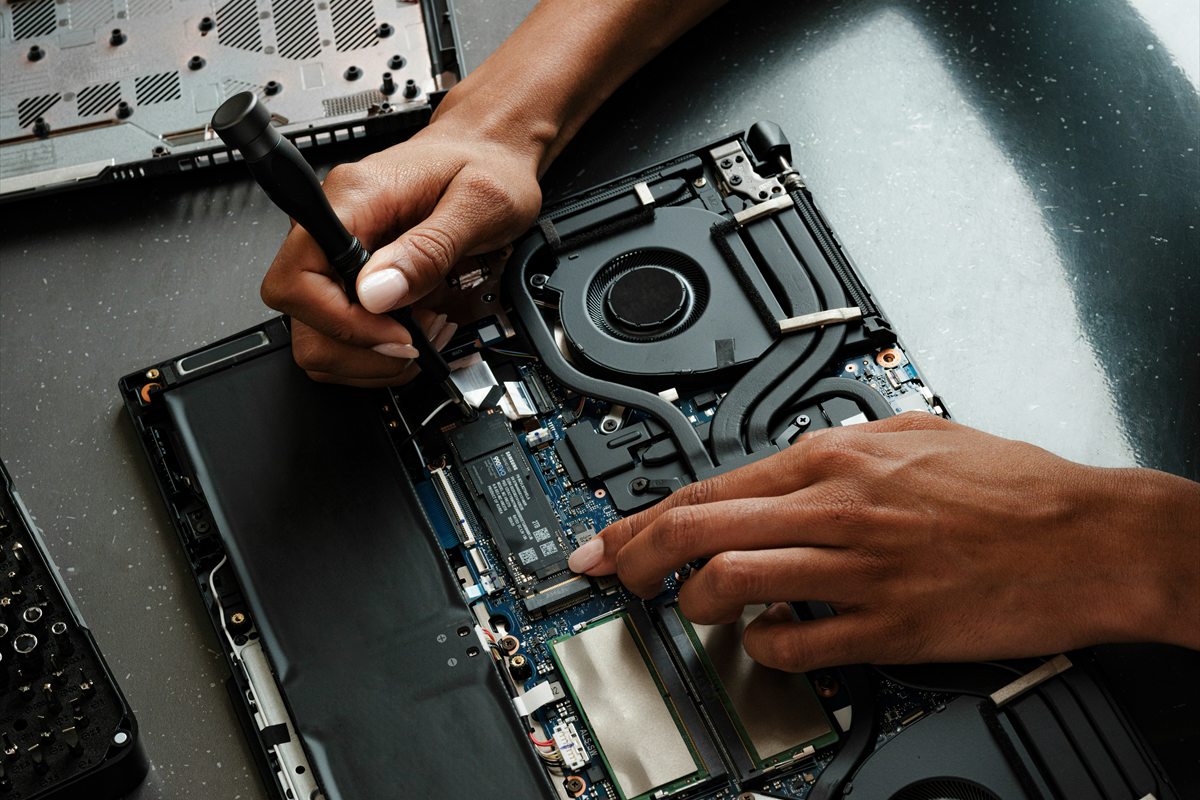
Laptop Repair Service for Screens, Charging & Hardware Problems
Laptop repair service from Profix Squad provides professional help for cracked screens, charging failures, worn batteries, broken hinges, motherboard-related faults, power and startup problems, and overheating. The same symptom can have several causes—a black display is not always a failed panel, and a laptop that will not charge may have an adapter, battery, port, or charging-circuit problem. Tell us your laptop model, the symptoms you're experiencing, and any recent damage so we can discuss the appropriate repair options. Service-location repair, an in-home visit, or technician pickup may be available depending on your area, the laptop's condition, parts, and the work required.
Laptop screen, charging, battery and hardware repairs
Hardware-focused fault assessment
Physical service options subject to availability
BEGIN WITH WHAT THE LAPTOP DOES
Laptop Problems We Can Help With
A symptom describes what you see, not necessarily which component failed. These laptop problems can be assessed to separate display, charging, battery, structural, cooling, startup, storage, software, and motherboard-related causes.
Cracked or damaged screen
Visible cracks, impact marks, ink-like patches, or missing areas of an image may indicate panel damage, but the laptop should be checked for related lid or hinge damage.
Black screen or flickering display
A blank, dim, intermittent, lined, or distorted image can involve the panel, display cable, backlight, memory, graphics hardware, power, or motherboard.
Laptop will not charge
Intermittent or failed charging may come from the adapter, battery, connector, charging port, or charging electronics rather than one assumed part.
Battery drains too quickly
Short runtime can reflect battery wear, demanding software, power settings, heat, or another electrical problem that needs to be separated from normal battery aging.
Laptop will not turn on
No lights, no fan movement, or no response can involve external power, the battery, charging path, power controls, internal connections, or the motherboard.
Unexpected shutdowns
A laptop that switches off without warning may have heat, battery, adapter, power-delivery, memory, storage, operating-system, or board-related problems.
Loose or broken hinge
Stiff movement, separation around the lid, or cracked casing near a hinge can place additional strain on the display cable and surrounding structure.
Excessive heat
High temperatures may involve blocked airflow, dust, cooling-component condition, thermal contact, workload, or a hardware or software fault.
Unusual cooling-fan noise
Grinding, rattling, pulsing, or continuously high fan speed can indicate obstruction, wear, heat buildup, or sustained system load.
Repeated startup failures
A laptop that loops, stalls, or powers on without reaching Windows may have a hardware, storage, operating-system, power, or display problem.
Slow or freezing operation
Poor responsiveness can come from software load, limited memory, storage trouble, overheating, Windows damage, or another fault that requires broader diagnosis.
OUR LAPTOP REPAIR SERVICES
Our Laptop Repair Services
The right laptop fix depends on the confirmed cause, device construction, connected damage, and compatible parts. These seven service categories cover the primary hardware problems Profix Squad repairs without assuming that every symptom requires the most obvious component replacement.
01
Laptop Screen Repair and Replacement
Laptop screen repair can address cracked panels, flickering, lines, distorted images, blank displays, and some backlight-related symptoms. A black screen does not prove that the panel has failed: display cables, memory, graphics hardware, power delivery, or the motherboard can create a similar result. The laptop model, panel compatibility, connected damage, and parts availability determine whether screen replacement is appropriate.
02
Laptop Charging Port Repair
A loose connection, damaged connector, intermittent charging, or failure to charge can warrant charging-port assessment. The adapter, cable, battery, port, internal connection, or charging electronics may be responsible, so port replacement should not be assumed from the symptom alone. USB-C charging can also involve power negotiation and board circuitry beyond the external connector.
03
Laptop Battery Replacement
Battery replacement may help when capacity has fallen, runtime is unusually short, charging is inconsistent, battery-health warnings appear, or the laptop shuts down away from external power. Power usage, the adapter, charging circuitry, heat, and other components can produce similar behavior. Replacement depends on battery compatibility and the condition of the device. A swollen battery or one that is leaking but not actively smoking or burning should not be punctured, bent, compressed, or casually removed; stop using and charging the laptop and seek appropriate professional handling. If the laptop or battery is smoking, burning, or undergoing dangerous rapid overheating, do not handle or move it. Move away from the hazard and contact local emergency services as appropriate.
04
Laptop Motherboard Repair
Profix Squad performs laptop motherboard repair for appropriate board-related faults, which may appear as no power, charging trouble, startup failure, unavailable ports, or unstable hardware. Those symptoms can also originate elsewhere. An assessment helps determine whether laptop board repair is feasible, whether another component is responsible, or whether motherboard or laptop replacement is the more practical option. Not every board fault or laptop model can be repaired.
05
Laptop Hinge Repair
Hinge repair can address broken or loose hinges, damaged hinge mounts, cracked casing around the hinge area, and difficulty opening or closing the lid. The visible hinge may be only part of the damage because mounts, covers, cables, and the display assembly can also be affected. Avoid forcing a damaged lid; continued movement may enlarge casing damage or harm the display cable or panel.
06
Laptop Power and Startup Troubleshooting
Power and startup troubleshooting covers laptops that will not turn on, fail to charge or power up reliably, shut down unexpectedly, start intermittently, or power on without showing an image. Hardware power faults differ from a laptop that reaches its startup screen but cannot load Windows. The symptoms guide checks of the power source, battery, display path, storage, memory, cooling, operating system, and motherboard as appropriate.
07
Laptop Cooling and Overheating Repair
Cooling repair can address excessive temperatures, fan faults, restricted airflow, thermal throttling, and heat-related shutdowns. A noisy or hot laptop does not always need a new fan: airflow, dust, cooling-component condition, thermal contact, workload, software activity, and other hardware may contribute. Stop demanding use if the laptop repeatedly shuts down from severe heat or shows a burning smell, smoke, or another concerning safety symptom.
Not sure which component is responsible? Start with the behavior, model, and recent damage.
A laptop repair may follow these stages, but the exact order and work depend on the fault, device condition, compatible parts, service method, and current availability.
1
Describe the laptop problem
Share the laptop model when known, the symptoms, when they began, recent physical or liquid damage, charging and power behavior, display changes, overheating, shutdowns, and anything already attempted.
2
Determine the appropriate assessment
The reported symptoms guide the next troubleshooting steps. Similar behavior can come from different components, so the assessment should distinguish the likely source before a specific part or repair path is selected.
3
Discuss repair options and availability
Repair feasibility depends on the laptop model, component condition, compatible parts, extent of damage, and suitable service method. Service-location repair, an in-home technician visit, or technician pickup may be available, but not every repair can be completed in the home or during one appointment.
4
Review repair work and next steps
The applicable repair, practical limitations, and any remaining issues can be discussed according to the assessment and work performed. Parts-dependent or complex faults may require a different next step than the symptom first suggested.
COMPARE THE WHOLE DEVICE
When Should You Repair or Replace a Laptop?
Repair may be reasonable when a compatible screen, battery, charging component, hinge-related part, cooling component, or another focused repair can restore useful operation without disproportionate work. Laptop age alone does not answer the question.
Consider repair complexity, overall condition, compatible-part cost, device value, remaining useful life, physical damage, other known faults, and the importance of files and installed applications. Extensive motherboard or structural damage can change the comparison, while one isolated fault may still make repair practical.
CONSIDER STORAGE RISK BEFORE REPAIR
Protecting Your Files During Laptop Repair
Screen, hinge, battery, and charging repairs may not directly involve stored files, but no repair can guarantee that data will remain unaffected in every situation. Power and startup failures can sometimes involve storage, while Windows errors and failing drives may require additional precautions.
Back up important files when the laptop and storage are stable enough to do so. If a drive disappears, clicks, repeatedly disconnects, or produces other storage-failure symptoms, avoid repeated startup or repair attempts that may worsen some cases. Ask about computer data recovery when files are inaccessible.
MODEL, FAULT, PARTS, AND SERVICE METHOD
Laptop Repair Cost and Service Time
Laptop repair cost and timing depend on the model, type of fault, diagnostic complexity, required parts, component compatibility and availability, charging or motherboard complexity, physical damage, service method, testing, and technician availability.
A cracked screen, intermittent charging circuit, damaged hinge mount, and unstable motherboard do not involve the same work. Repair costs and timing vary with the fault, replacement parts, and work required. Contact Profix Squad to discuss assessment options, applicable charges, and expected next steps.
Requests are accepted from customers throughout the United States, subject to repair suitability, technician availability, and location.
The suitable service method depends on geographic coverage, the laptop's condition, repair requirements, compatible parts, and current arrangements. Request a preferred option, then confirm what is available for the case.
Service-Location Laptop Repairs
Appropriate physical laptop repair work can be handled through an available Profix Squad service location. Availability and the suitable location depend on the customer's area, laptop condition, repair requirements, parts, and current service arrangements.
Ask which service-location option is available for your case
In-Home Laptop Repair Assistance
An in-home technician visit may be available when the location and repair type are suitable. Some diagnosis or straightforward work may fit a visit, while significant disassembly, motherboard faults, structural damage, unavailable parts, or equipment-dependent work may need to be handled elsewhere.
In-home work is subject to local availability and repair suitability
Technician Pickup
Technician pickup may be available when a laptop requires repair work that is better handled away from the customer's location. Coverage depends on the area, laptop condition, repair needs, and current arrangements; pickup is not represented as free, same-day, or nationwide.
Confirm collection availability before making arrangements
About remote help: remote troubleshooting may help distinguish some software behavior, but it cannot physically repair a screen, hinge, charging port, battery, cooling system, or motherboard.
Laptop hardware repair has a distinct purpose. A broader computer fault, Windows failure, performance-only slowdown, or another hardware need may fit a related service instead of replacing a laptop component without evidence.
01
Expert Computer Repair
Use general computer repair when the problem is not clearly laptop-specific or several hardware and software symptoms need to be considered together.
Broader component repair and upgrade questions can include storage, memory, cooling, power, and other compatible hardware beyond this laptop-focused page.
A laptop that powers on but cannot load Windows may need operating-system repair rather than physical power or display work, subject to storage condition and data risk.
A stable laptop that mainly starts or responds slowly may need performance assessment. Tune-up work is not a substitute for repairing failed cooling, storage, power, or motherboard hardware.
Contacting Profix Squad gives you a practical way to turn an uncertain laptop symptom into an informed repair decision. The discussion can clarify what may be causing the problem, which physical service option is suitable and available, and whether repair, additional assessment, or replacement is the sensible next step.
Understand the likely source of the fault
Overlapping screen, charging, power, heat, and startup symptoms are considered before a repair option is discussed, helping you avoid assuming the most visible component is responsible.
Discuss repair options that fit the laptop
The laptop model, physical condition, compatible parts, and extent of damage help determine which available repair approach is appropriate.
Choose an available service method
Service-location repair, an in-home visit, or technician pickup may be considered according to local coverage and whether the work is suitable for that method.
Make a clearer next-step decision
Repair feasibility and related faults can be weighed against replacement so you can discuss a realistic next step without a guaranteed outcome.
DIRECT ANSWERS ABOUT LAPTOP REPAIR
Frequently Asked Questions About Laptop Repair
These answers explain repair feasibility, screen, charging, motherboard, data, cost, timing, in-home availability, and technician pickup without promising one result for every laptop.
Laptop repair cost depends on the model, fault, diagnostic complexity, compatible parts, extent of damage, required work, service method, and technician availability. Describe the symptoms and model to discuss the available assessment options, applicable charges, and next steps.
Profix Squad provides laptop power and startup troubleshooting. A no-power symptom may involve the adapter, battery, charging path, power controls, internal connections, or motherboard, so repair feasibility and cost depend on an assessment rather than one assumed component.
Yes, Profix Squad offers laptop charging-port repair. The adapter, battery, port, connector, or charging electronics can cause similar symptoms, so the laptop should be assessed before port repair or replacement is selected.
Some motherboard faults may be repairable, and Profix Squad provides laptop motherboard repair. The model, fault, board condition, related damage, parts, and repair feasibility determine whether repair, motherboard replacement, or replacing the laptop is the practical option.
It can be, depending on the repair cost, compatible parts, overall condition, remaining usefulness, other faults, and the value of keeping its files and installed applications. Extensive motherboard or structural damage may change the comparison with replacement.
Profix Squad offers laptop screen repair and replacement. Whether replacement is available depends on the laptop model, panel compatibility, parts availability, and whether the lid, hinges, cables, or surrounding casing are also damaged.
Many screen, hinge, battery, and charging repairs do not directly change stored files, but no repair can guarantee data preservation in every case. Startup or power trouble may involve failing storage, and operating-system work may create additional data risk. Back up important files when feasible and explain any storage symptoms before repair.
Timing depends on diagnosis, laptop construction, repair complexity, parts availability, damage, testing, service method, and technician availability. A battery replacement and an intermittent motherboard fault do not require the same work, so one completion time cannot apply to every repair.
In-home laptop repair assistance is available for suitable cases where local coverage and repair requirements allow it. Some faults need equipment, extended work, parts, or disassembly better handled at an appropriate service location or after technician pickup.
Technician pickup is available for suitable laptop repair cases, subject to geographic coverage, laptop condition, repair needs, and current service arrangements. Ask about availability in your area; pickup is not guaranteed to be free, immediate, or available nationwide.
TELL US WHAT THE LAPTOP DOES
Request Laptop Repair Assistance
Share the laptop model, repair problem, relevant screen, charging, battery, hinge, motherboard, power, or cooling symptoms, whether it turns on, any physical damage, your preferred service method, and general location for availability. Do not include passwords, recovery keys, private files, or one-time authentication codes.