Record what changes, when it happens, and what the computer can still do.
PHYSICAL COMPONENT REPAIR FOR DESKTOPS AND LAPTOPS
Computer Hardware Repair & Component Replacement
Profix Squad provides professional computer hardware repair and component replacement for desktop and laptop computers. We help with eligible RAM, HDD and SSD, motherboard, power supply, graphics, cooling, port, and other physical hardware problems. Reported symptoms and device requirements are reviewed to determine whether repair, replacement, an upgrade, or further assessment is appropriate. Basic repairs may be available on-site, while advanced work may require technician pickup for off-site service. Use the repair request or enquiry form to describe the computer and request assistance, pricing information, and local availability.
- Desktop and laptop hardware
- Repair and replacement options
- On-site and off-site arrangements
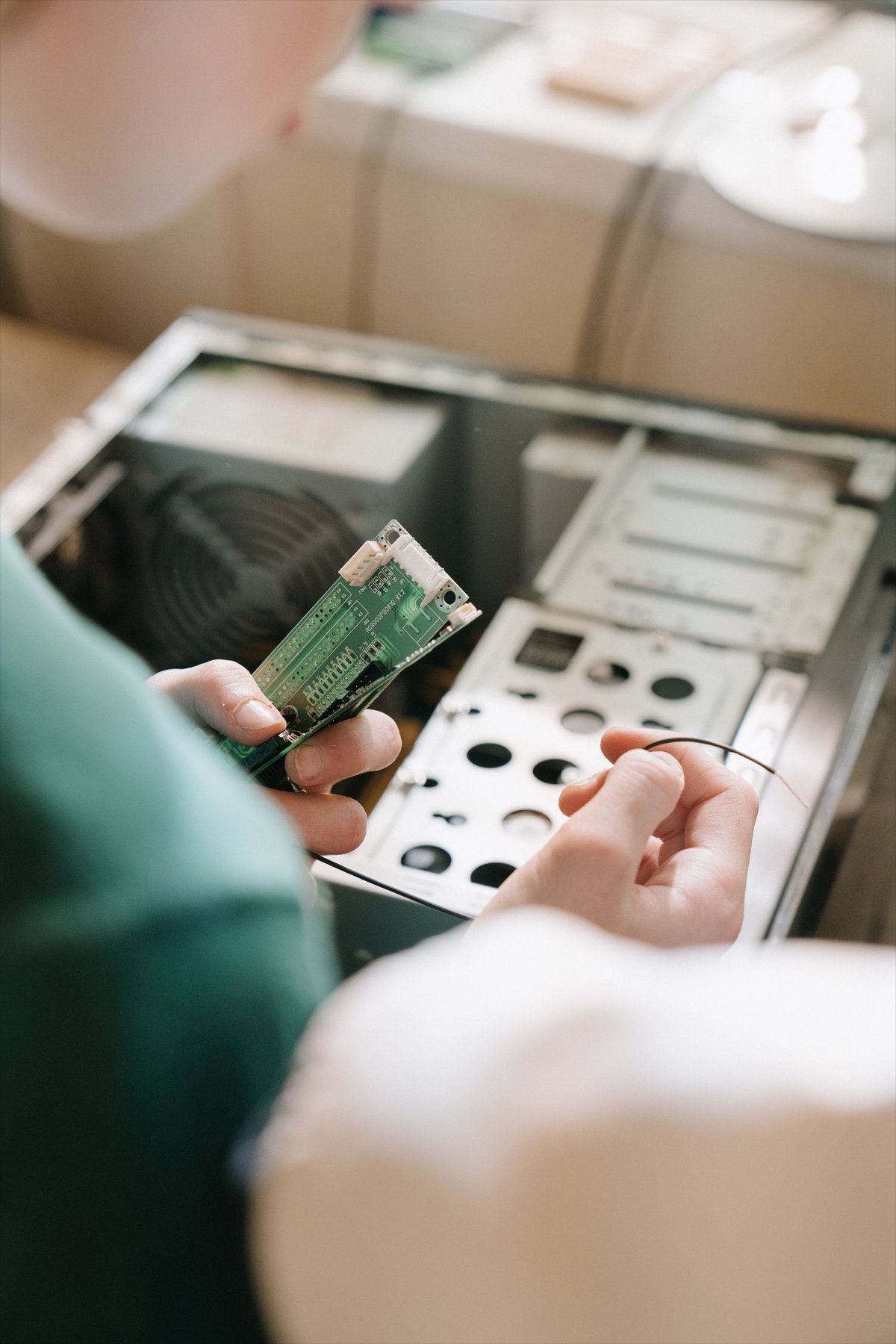
IDENTIFY THE PHYSICAL PROBLEM BEFORE CHOOSING A PART
Computer Hardware Repairs and Replacements
Professional computer component repair addresses a physical part, connection, or assembly. Software repair addresses operating system, driver, application, or configuration problems. Because both can produce startup failures, crashes, slow performance, or missing devices, assessment may be needed before physical work is recommended.
A repair restores a component or connection when practical; a replacement installs a compatible part when restoration is not the right path. Replacing a component without identifying the wider cause may leave the original problem unresolved. For a problem whose cause is still unclear, review the separate computer diagnostic service.
Separate a physical fault from software or connected-device problems.
Match the repair or compatible replacement to the identified fault.
Choose on-site or off-site work according to access and repair requirements.
START WITH WHAT THE COMPUTER IS DOING
Signs Your Computer May Have a Hardware Problem
These symptoms can justify a hardware assessment, especially when they repeat or prevent normal use. Each can also have software, connection, power, or environmental causes, so the symptom alone should not be treated as a confirmed component failure.
The computer will not power on
The computer may show no lights, fan movement, startup sound, or screen activity when the power button is pressed. Note whether the behavior changes with another outlet, adapter, or known working connection, but avoid opening a power supply.
Unexpected shutdowns, crashes, or freezing
The computer may turn off, restart, lock up, or display an error during startup or normal use. Note when the interruption occurs and whether it follows a particular task, but do not assume one component is responsible.
Overheating or unusual fan noise
The case or keyboard may feel unusually hot, fans may stay loud, performance may drop, or the computer may shut down during demanding work. Stop using it if there is smoke, a burning smell, or dangerous heat.
Display artifacts or graphics instability
Lines, colored blocks, flickering, distorted output, a blank display, or crashes during graphics-heavy tasks are useful details to report. Similar behavior can still have more than one hardware or software cause.
Storage errors or a missing drive
Slow file access, repeated storage warnings, unusual hard-drive noise, startup errors, or a drive that disappears can put important files at risk. Avoid repeated repair attempts when the drive contains data you need.
Damaged USB ports or loose connections
A USB or other port may feel loose, move inside the case, disconnect when touched, or stop recognizing a known working device. Visible damage and intermittent contact are especially useful to mention in the request.
Laptop charging problems
A laptop may charge only at a certain cable angle, switch repeatedly between charging and battery power, or fail to recognize its adapter. Include any looseness, visible damage, warning message, or recent impact in the request.
Memory-related instability
Repeated freezing, startup warnings, unexpected restarts, or an incorrect memory total can justify assessment. These symptoms are useful clues, but they do not confirm failed RAM on their own.
COMPONENT-SPECIFIC REPAIR OPTIONS
Computer Hardware Components We Repair or Replace
Repair options cover the following component groups. Device design, the diagnosed problem, compatible parts, required access, and technical feasibility shape the work that can be offered.
RAM and Memory Repair or Replacement
Profix Squad assesses RAM modules, memory slots, seating, and compatibility before recommending repair or replacement. Module type, capacity, supported configurations, and computer design guide the available options. Some laptops use integrated memory that cannot be replaced or upgraded separately.
Hard Drive and SSD Replacement
HDD and SSD replacement is available when a storage device is faulty or another compatible drive is required. Interface, physical size, capacity, computer support, and the condition of existing files shape the next step. Replacing a drive does not guarantee that files can be preserved or recovered. If important files are inaccessible, ask about a data recovery assessment before further use or replacement.
Explore computer data recoveryMotherboard and CPU-Related Repairs
Assessment helps separate motherboard or processor problems from faults in memory, storage, power, cooling, software, and connected components. Repair or replacement options are shaped by device construction, component integration, compatibility, and technical feasibility. Not every motherboard or processor is separately replaceable.
Power Supply Repair or Replacement
Power supply repair or replacement can address confirmed desktop PSU faults and other repairable power hardware. The wider power path is assessed before a compatible unit or other work is recommended. Laptop charging and internal power assemblies require device-specific handling and are not interchangeable with desktop PSUs.
Graphics Card and GPU Repairs
Graphics card or GPU repair and replacement may be available after assessment separates the graphics hardware from display, connection, driver, power, memory, and other system problems. Desktop graphics cards and laptop graphics hardware differ, and many laptop GPUs are integrated rather than separately replaceable.
Cooling Fan and Overheating Repairs
Cooling-system repair can address fan faults, restricted airflow, heat buildup, and related cooling problems. Inspection considers the vents, fan operation, heatsink contact, computer workload, and connected components before repair work is selected. Exact temperature or performance changes cannot be assumed in advance.
USB Ports, Charging Ports, and Other Connectors
Damaged, loose, or malfunctioning USB ports, charging ports, and other physical connectors can be assessed for repair. Computer design, the connector, the surrounding assembly, and the extent of damage shape the method. Some connector work requires disassembly or off-site repair and cannot be completed during a customer visit.
Other Physical Hardware Repairs
Profix Squad also reviews other physical computer hardware problems that do not fit one category. The affected part, device construction, compatibility, required access, and repair feasibility show whether repair, component replacement, or another service path can be offered.
WHEN WORKING HARDWARE NO LONGER FITS THE NEED
Computer Hardware Upgrades
Desktop hardware upgrades can include compatible memory, storage, and other component installations. An upgrade changes a functioning system to meet a different capacity or hardware requirement. That differs from repairing a damaged part or replacing a component because it has failed.
Compatibility is checked against the motherboard, available connections, physical space, power and cooling requirements, firmware support, operating system, and existing hardware. Laptop upgrade options are more model-dependent because memory, storage, processors, or graphics hardware may be integrated or inaccessible. The likely benefit should be considered before parts are chosen.
DEVICE CONSTRUCTION CHANGES THE REPAIR PATH
Hardware Repair for Desktop and Laptop Computers
Computer construction affects component access, part compatibility, and repair difficulty. Desktops more often use accessible, standardized components, while laptops commonly use compact, model-specific assemblies and integrated hardware.
Desktop hardware repair
Memory, storage, power supplies, expansion cards, fans, and connections are often easier to reach and replace. The case, motherboard interfaces, power capacity, cooling, and firmware must still support the proposed part.
Laptop hardware repair
Device-specific parts, integrated memory or graphics, and more involved disassembly can limit separate replacement or require off-site work. For screens, hinges, batteries, keyboards, and other laptop-specific needs, see the laptop repair service.
MATCH THE OPTION TO THE DEVICE AND FAULT
Should You Repair or Replace a Computer Component?
Repair is considered when the identified component or connection can be restored reliably. Replacement can make more sense when the part has failed, restoration is not practical, or a compatible replacement better fits the device. The decision follows the diagnosed fault and the factors listed here rather than an assumption based on one symptom.
FROM REPORTED SYMPTOMS TO REPAIR ARRANGEMENTS
How Our Computer Hardware Repair Process Works
The exact path varies with the device and problem. These steps show how a hardware repair request can move from the information you provide to a service arrangement.
- 01
Describe the problem
Share what the computer is doing and any information you already have. You do not need to identify the failed part yourself.
- 02
Review the hardware problem
The reported behavior, device requirements, and service availability help establish what kind of assessment and physical access may be needed.
- 03
Determine repair or replacement options
The identified issue, component condition, compatibility, and computer construction show whether repair, replacement, an upgrade, or further assessment is needed.
- 04
Establish repair arrangements
The work required and local technician availability determine whether a basic repair can be completed on-site or the computer needs technician pickup for off-site work.
- 05
Discuss the next step
Profix Squad can explain the repair path and the practical arrangements for moving forward.
THE REPAIR METHOD FOLLOWS THE TECHNICAL REQUIREMENTS
On-Site and Off-Site Hardware Repairs
Through Profix Squad's technician network, basic hardware repairs may be completed at a customer's home or workplace across the United States when the repair type, physical access, required parts, local technician availability, and technical requirements allow. A visit does not mean every repair can be completed at the location or during the first appointment.
When advanced hardware work cannot be completed on-site, Profix Squad arranges technician pickup so the repair can continue off-site. Specific arrangements follow the work required and local availability. Learn more about in-person visits on the on-site computer support page.
ASK ABOUT THE SPECIFIC DEVICE AND REPAIR
Computer Hardware Repair Pricing and Availability
Once the request has been reviewed, Profix Squad can discuss repair or replacement options, applicable pricing, service availability, and the arrangements required for that computer.
Parts availability, repair feasibility, service method, and timing depend on the specific device and work required. Request the applicable details before making a repair decision.
Ask About Hardware Repair PricingDIRECT ANSWERS ABOUT COMPONENT WORK
Frequently Asked Questions
These answers cover desktop and laptop hardware, RAM, motherboards, storage, overheating, service location, and how to request assistance.
Yes. Profix Squad handles physical hardware problems in desktop and laptop computers. Repairability differs by model because laptops often use integrated, device-specific components while desktops may provide more component access and replacement flexibility.
RAM problems can be assessed for repair or replacement. The module, slot, compatibility, and computer design guide the next step. Some laptops have integrated memory that cannot be replaced or upgraded separately.
The choice follows the diagnosed fault, device construction, compatible-part availability, repair feasibility, and practical value of each option. Symptoms alone do not confirm motherboard failure, so the wider system should be assessed before that decision.
Profix Squad offers HDD and SSD replacement. Compatibility and the condition of existing files must be considered separately. A replacement does not guarantee data preservation or recovery from an inaccessible or damaged drive.
Basic repairs may be completed during an on-site visit when the location, technician availability, device, parts, and technical requirements allow. Profix Squad arranges technician pickup for advanced hardware work that cannot be completed on-site.
Yes. Cooling and overheating assessment can consider fans, airflow, heat buildup, system demand, and related hardware conditions. The findings then guide any repair recommendation.
Use the repair request form to request service or the enquiry form to ask a question. Share enough detail to identify the computer and problem, and include your general location only when requesting in-person service.
SHARE THE HARDWARE PROBLEM, NOT SENSITIVE INFORMATION
Request Computer Hardware Repair
Share the information you have about the computer, its symptoms, recent changes, and your general location for in-person service. You do not need to identify the failed part yourself. Do not send passwords, recovery keys, verification codes, private files, or sensitive account information through a public form.