COMPUTER HELP AT YOUR LOCATION

On-Site Computer Support & Repair

Profix Squad provides on-site computer repair and technical support for residential and business customers. Subject to local technician availability, a technician can visit your home or workplace across the United States to troubleshoot desktop and laptop problems, software errors, hardware faults, computer setup, Wi-Fi, internet, and other connectivity issues. Use the website request form to describe the problem and your location. The team will confirm whether an on-site visit is available and technically suitable for the work.

  • Troubleshooting, setup, and connectivity
  • Eligible basic repairs completed on-site
  • Pickup arranged for advanced repairs
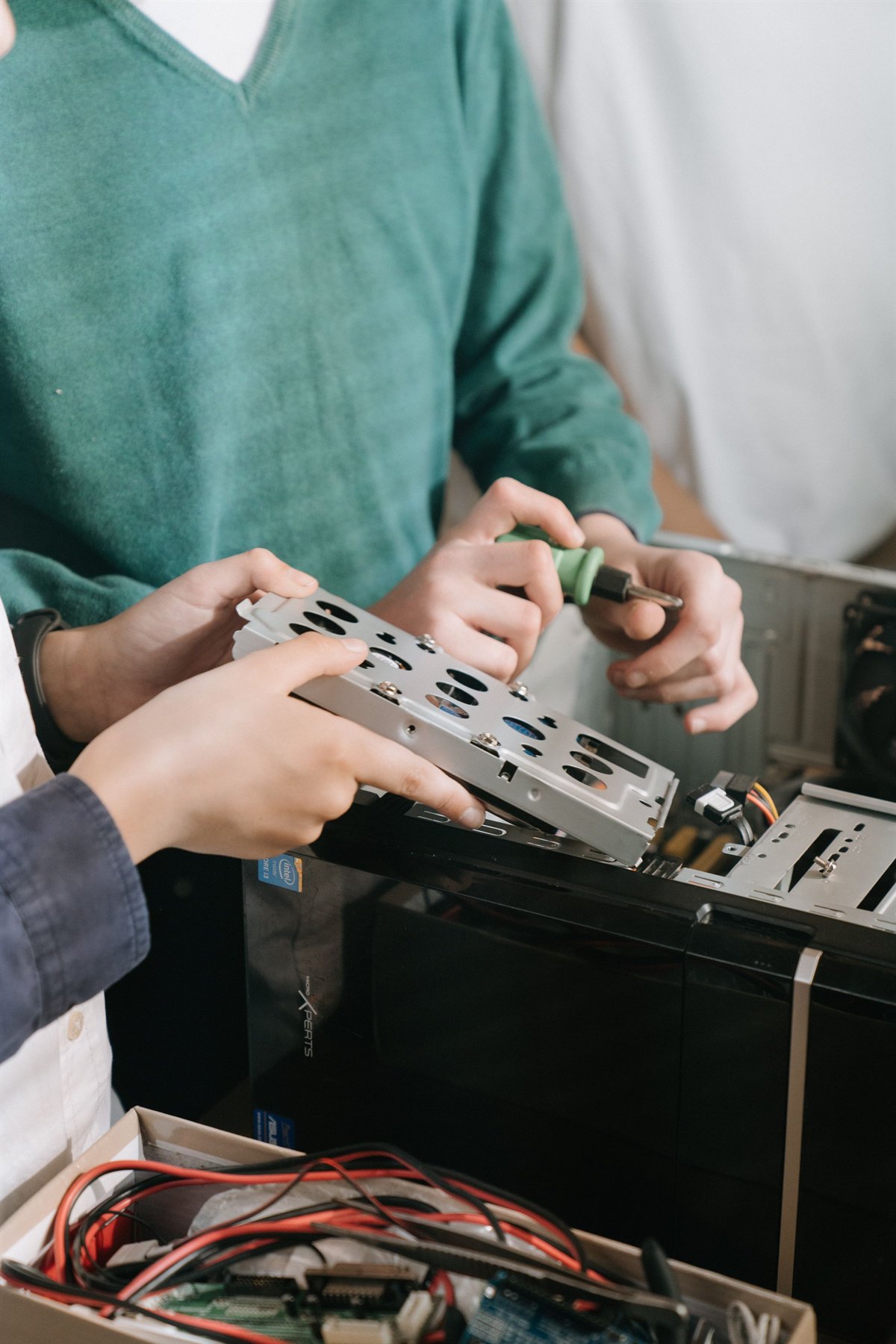
Technicians working together on hardware inside a desktop computer
PHYSICAL HELP WHERE THE COMPUTER IS USED

Computer Help at Your Home or Workplace

On-site computer support means an available technician visits the location where the computer and connected equipment are used. The technician can inspect the actual setup, reproduce the reported problem where possible, and assess how the computer, software, printer, router, or other supported devices interact.

A visit can be useful when equipment is difficult to move, several devices are involved, a problem depends on the local Wi-Fi or network, or the customer needs physical setup assistance. The problem, service request, local coverage, and technical requirements determine whether on-site help or another repair method is appropriate.

CONFIRMED ON-SITE SERVICES

What Our On-Site Computer Technicians Can Help With

A technician begins with the symptoms and circumstances, then checks the relevant hardware, software, settings, and connections. The assessment determines which work is suitable on-site and whether another repair path is required.

Computer Troubleshooting and Diagnostics

A technician can assess desktops and laptops that will not start, keep restarting, display errors, lose connections, or behave unpredictably. The reported symptom is a starting point rather than a confirmed diagnosis; power, settings, software, storage, memory, heat, and connected equipment may all need to be considered.

Explore broader computer repair

Windows, Software, and Malware Problems

On-site support can address Windows startup and update problems, software errors, unwanted programs, and suspected virus or malware activity. The technician assesses what is happening before recommending repair or cleanup, and does not assume that every warning or slowdown has the same cause.

Read about virus and malware removal

Slow Computer Troubleshooting

Slow startup, delayed applications, freezing, or poor response may relate to software load, storage pressure, system condition, malware, limited hardware, or overheating. On-site troubleshooting can identify the likely constraint and distinguish performance work from a hardware repair need.

Explore PC tune-up service

Computer and Peripheral Setup

A visiting technician can help configure an eligible desktop or laptop and connect printers or other supported peripherals. For printer-specific setup, connection problems, or eligible physical faults, see printer repair and support; the assessment determines whether that work is suitable on-site. Setup may include Windows configuration and connection checks, but the exact work depends on the equipment, software, access, and requested service.

Explore computer setup service

Wi-Fi and Network Troubleshooting

A connection problem may involve computer settings, wireless hardware, the router, internet service conditions, coverage, or communication between devices. Technicians can troubleshoot home and office Wi-Fi, internet connectivity, basic local networks, and connected-device problems.

Explore Wi-Fi and network help

Hardware Diagnosis and Basic Repairs

Physical assessment can help identify faults involving power, memory, storage, cooling, or other computer hardware. Eligible basic repairs may be completed during a visit. Work that needs additional parts, facilities, extended testing, or more advanced repair must continue off-site through technician pickup.

Explore laptop hardware repair
TWO TYPES OF CUSTOMER, ONE LOCAL ASSESSMENT

On-Site Support for Homes and Businesses

Residential and workplace visits share the same practical goal: assess the computer in its normal environment and complete eligible work suited to the request.

Residential Computer Support

In-home computer support may fit desktop or laptop problems, a new computer setup, printer connections, Wi-Fi troubleshooting, software errors, or basic hardware assessment. A household visit can also help when the issue involves the specific router, room, peripheral, or arrangement used at home.

Available for eligible home requests where local coverage is confirmed.

Business Computer Support

Workplace support can address an individual office computer, workstation setup, software trouble, printer connectivity, and basic office Wi-Fi or network problems.

Request-based assistance for a defined workplace need.
FROM ENQUIRY TO THE APPROPRIATE REPAIR PATH

How to Request an On-Site Technician Visit

Submitting a request starts a review of the problem, location, and service needs. The team confirms technician availability and the appropriate repair path before a visit is arranged.

  1. 1

    Contact Profix Squad

    Use the repair request or enquiry form to explain that you need assistance at a home or workplace.

  2. 2

    Describe the problem and location

    Share the computer type, visible symptoms, connected devices, requested service, and general location. Do not put passwords, recovery keys, verification codes, or private files in the form.

  3. 3

    Confirm visit availability

    The team considers your location, local technician availability, the requested service, and whether the work is technically suitable for an on-site visit.

  4. 4

    Assessment and eligible work

    A visiting technician can examine the setup, diagnose likely causes, and perform work that is appropriate to complete at the location.

  5. 5

    Arrange the next step if needed

    If an advanced hardware repair cannot be completed on-site, Profix Squad arranges technician pickup so the work can continue off-site.

LET THE REPAIR REQUIREMENTS SET THE LOCATION

Which Computer Repairs Can Be Completed On-Site?

Eligible basic repairs may be completed during an on-site visit when the problem is understood, the necessary conditions and compatible parts are available, and the work can be performed appropriately at the customer’s location. Software repair, setup, configuration, connection work, and some basic hardware tasks may fit this category.

A problem may need off-site work when it requires additional parts, facilities, extended testing, more involved disassembly, or advanced hardware repair that cannot be completed at the location. In those cases, Profix Squad arranges technician pickup for the computer. The assessment determines the appropriate repair method and next steps.

NATIONWIDE REACH, LOCAL CONFIRMATION

On-Site Computer Support Availability

Profix Squad provides nationwide on-site support across the United States through a technician network. Visits are arranged where local coverage and the requested work allow.

Send the website form with your general location and service need. The team will check technician availability and whether the work is suitable for an on-site visit before making arrangements.

Check Availability in Your Area
PRICING FOLLOWS THE ACTUAL SERVICE NEED

How Much Does On-Site Computer Support Cost?

Pricing varies according to the computer problem, the service required, and the customer’s location. A software issue, connected-device problem, setup request, and hardware repair can involve different types of work and repair locations.

No separate initial visit or diagnostic fee is charged. The on-site visit and initial diagnostics are included in the overall service price. Use the enquiry form to share the problem and location and discuss the applicable pricing for the request.

Discuss Your Service Request
DIRECT ANSWERS ABOUT VISITING SUPPORT

Frequently Asked Questions

These answers clarify visit eligibility, repair limits, pickup, local availability, pricing, and the request process.

Yes. Profix Squad provides on-site computer support for residential and business customers where local technician availability, the requested service, and technical suitability allow.

Yes, for eligible work. Technicians can troubleshoot laptops and desktops and may complete software work, setup, connectivity work, or basic hardware repairs on-site. The diagnosis and technical requirements determine the repair location.

Profix Squad arranges technician pickup when advanced hardware repair cannot be completed at the customer’s location. The diagnosed issue and repair requirements determine the off-site work needed.

Yes. On-site support includes printer and peripheral setup, Wi-Fi and internet connectivity troubleshooting, and basic home or office network troubleshooting.

Profix Squad serves the United States through a technician network. Submit your general location and service need through the website so the team can check local technician availability and technical suitability.

No separate initial visit or diagnostic fee is charged. The on-site visit and initial diagnostics are included in the overall service price. The total price varies with the computer problem, the service required, and the customer’s location.

Submit the repair request or enquiry form with the computer symptoms, requested help, and general location. The team will review the service need and confirm technician availability and next steps.

DESCRIBE THE PROBLEM AND LOCATION

Request On-Site Computer Support

Use the repair request form to share whether you need help at a home or workplace, what the computer or connected equipment is doing, and your general location. Profix Squad will review the service need and confirm the appropriate next step.